

Professional canvas prints: what quality looks like and how to check it

A professional canvas print is one where nothing distracts from the artwork. The image is sharp at the size it is printed, the colours match the file, the canvas is tight with neat folded corners, the edges are finished on purpose, and it arrives ready to hang. You can check every one of those points yourself, and you should before you sell.
This guide explains what each quality point means, gives you a checklist for inspecting a proof, and lists the common faults with their real causes.
Why print quality matters when you sell art
Buyers rarely separate the artwork from the object. If the canvas arrives soft, dark or loose, they judge your work by it, not the printer. A strong print does the opposite: it makes the piece feel closer to an original.
Quality also has to repeat. The tenth order of an artwork should look like the first. That is easier when the file, the settings and the product are fixed once and reused, which is how print on demand works.
The quality checklist
Use this table when you compare canvas printers and when you inspect your own proof. The right-hand column shows what a Printumo canvas uses, so you know what to expect.
| Quality point | What good looks like | Printumo canvas |
|---|---|---|
| Print method | Giclée: a high-resolution inkjet process built for fine art reproduction | Giclée printed |
| Canvas material | A heavy, even canvas that does not crack when stretched | 340 gsm poly cotton blend, matte/satin finish, scratch, crack and warp resistant |
| Stretching | Even tension across the whole surface, no ripples, neat folded corners | Hand-stretched |
| Depth | Stretcher bars deep enough to stand off the wall | 3.2 cm (1.25 in) in Europe, the UK and Canada, 3.8 cm (1.5 in) in the US |
| Edges | A deliberate choice that keeps important detail on the front | Mirrored, stretched or solid colour, chosen by you |
| Back and hanging | Hardware fitted, wall protected | Sawtooth hanger and rubber bumpers fitted |
| Colour | The print matches a well-prepared file, with no surprise correction | sRGB workflow, no automatic brightness, contrast or sharpness changes |
| Sharpness | Detail holds at normal viewing distance for that size | Quality dots per size based on your file's pixels |
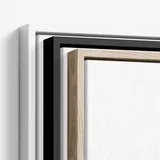
| Frame (optional) | A clean floater frame with an even gap | Wooden floater frames in Oak, Dark Oak, White or Black, about 5 mm gap in Europe and the UK |
Print method
Giclée is the common name for fine art inkjet printing. It lays down very fine droplets from several ink colours, which gives smooth tones and good detail. It is the standard for reproductions of paintings and photography. More detail is in museum quality giclée printing explained.
Canvas and surface
A heavier canvas holds its tension better over time and feels more substantial. A matte or satin surface keeps glare low, which matters for paintings that will hang near a window. For the difference a coating makes, see glossy canvas vs matte canvas.
Stretching and depth
Run your hand lightly across the front. A well-stretched canvas feels even, with no soft spots or ripples. Look at the corners from behind. They should be folded neatly and flat, not bunched.
The depth of the bars changes how the piece sits on the wall. A canvas around 3 to 4 cm deep stands clearly off the wall and casts a soft shadow, which reads as finished art.
Edges
The sides of a canvas are part of the product. Printumo offers three options:
- Mirrored edges (the default) copy the outer band of the image onto the sides, so the whole picture stays on the front.
- Stretched wraps the image itself round the sides. About 4 cm on each side moves off the front.
- Solid colour fills the sides with a colour you choose.
None of them is wrong. The professional choice is the one that suits the artwork.
Colour
Colour is where most disappointment comes from, and most of it starts at the screen. A screen is lit from behind and is usually set brighter than any room, so a print looks darker than the file on screen.
Printumo prints your file as it is. Files are converted to sRGB, and there is no automatic brightening or sharpening. That is good for consistency, because nothing changes between orders, but it means the colour decisions are yours to make before you export.
Sharpness at size
A file that is sharp on a phone can be soft on a large canvas. For canvas, aim for 150 DPI at the printed size, which means each side in inches times 150. A 40 x 30 inch canvas needs about 6000 x 4500 pixels. The reasoning is in DPI vs pixels.
How to inspect your proof
Before you sell an artwork, order one canvas for yourself and check it properly. Do it in daylight and again in the evening under room light.
1. Hold the file open on your screen next to the print, with the screen brightness turned down to a comfortable level. Compare skin tones, shadows and the brightest whites.
2. Step back to normal viewing distance. For a medium canvas that is a couple of metres. Judge sharpness from there, not from 10 cm away.
3. Look at the edges. Check that nothing important wrapped round the sides, and that the mirrored or coloured edge looks the way you intended.
4. Turn it over. Check the corners, the tension and the hanging hardware.
5. Hang it. A canvas looks different on a wall than on a table. Check whether the size works in a real room.
6. Write down what you would change: brightness, crop, edge or size. Fix it in the file or the product settings, then re-check one print if the change was large.
Sell your art with Printumo
Get started with selling your art as canvas and fine art prints
Common faults and their real causes
Most problems with canvas prints trace back to a few causes, and most of them can be fixed before the first sale.
| What you see | Usual cause | Fix |
|---|---|---|
| Soft or blocky detail | Too few pixels for the size | Offer smaller sizes, or upscale the file before it prints |
| Print darker than the screen | Screen brightness set high | Edit with brightness lower, lift shadows slightly, check on a proof |
| Signature or detail missing from the front | Stretched edge chosen, so about 4 cm per side went round the sides | Use mirrored edges or solid colour, or move the detail inward |
| Colours look different from the original painting | The photo or scan was off, not the print | Rephotograph with even light and correct colour before export |
| Artwork cropped on some sizes | The canvas shape differs from the file shape | Use the sizes of your file's shape, or make a separate crop |
For better source photos, follow how to photograph artwork for print.
How to describe quality honestly on a product page
Buyers trust facts more than adjectives. Instead of "premium quality", say what the product is:
- The material: canvas, matte to satin finish.
- The print method: giclée.
- The depth of the canvas and that it arrives ready to hang.
- The frame options and colours, if you offer them.
- The edge you chose, in plain words ("the image is mirrored around the sides").
- The sizes, with inches and centimetres.
Only describe what you have checked. If you have a proof in your hands, take a close photo of the corner and the edge and use it in the listing. It shows the depth and finish better than any sentence.
Where Printumo fits
Printumo is a print-on-demand service for wall art. Each canvas is giclée printed, hand-stretched and made when a buyer orders it, then shipped straight to them in neutral, unbranded packaging. You can sell through Shopify, Etsy, WooCommerce, Wix, Squarespace or a free Printumo Shop. An account is free, and you pay the print price and shipping only when a print is ordered.
When you upload artwork, each size gets a quality dot based on your file's pixels. If the larger sizes show amber or red, the AI upscaler is offered. It rebuilds the artwork with up to 4 times the pixels in each direction, just before printing, so the larger sizes print sharper. Your original file is never changed, and you can switch it off again. On a free account it is included on your first 3 products at no extra cost. With Printumo+, the optional paid plan, it is unlimited and you can download the upscaled file. It cannot fix a photo that is blurred, shaken or full of glare, so start with a sharp source.
To check the result, order a canvas for yourself. There is 30% off the prints and frames in your first order when you place it within 48 hours of signing up. You can see every canvas size, frame and edge on the canvas product page.
Frequently asked questions
What makes a canvas print professional quality?
A sharp, giclée-printed image with accurate colour, on a heavy canvas that is evenly stretched with neat corners, finished edges, enough depth to stand off the wall, and hanging hardware fitted. Each of these can be checked on a proof.
Why does my canvas print look darker than my screen?
Because screens are lit from behind and are usually set very bright. The print shows the file as it is. Lower your screen brightness while editing, lift the shadows a little, and check the result on a proof.
How many pixels do I need for a large canvas?
About 150 pixels per inch of the printed size. A 60 x 40 inch canvas needs about 9000 x 6000 pixels. If your file is smaller, offer smaller sizes or use an upscaler.
Why is the signature missing from the front of my canvas?
The stretched edge was probably chosen, which moves about 4 cm on each side onto the sides of the canvas. Mirrored edges or a solid colour keep the whole image on the front.
Should I check a canvas print before I sell it?
Yes. Order one for yourself, look at it in daylight and room light, and compare it with your file. It is the only way to know exactly what your buyers will receive.